Wallets
Overview
Digital Assets is the register of everything attached to your account that is not a balance — "the wallets, addresses, and sign-in methods linked to your account." It has three sections, each with its own address: Verified Addresses, Sign-In and Wallets.
Reach it from Profile — the DIGITAL ASSETS tab — or from Apps.
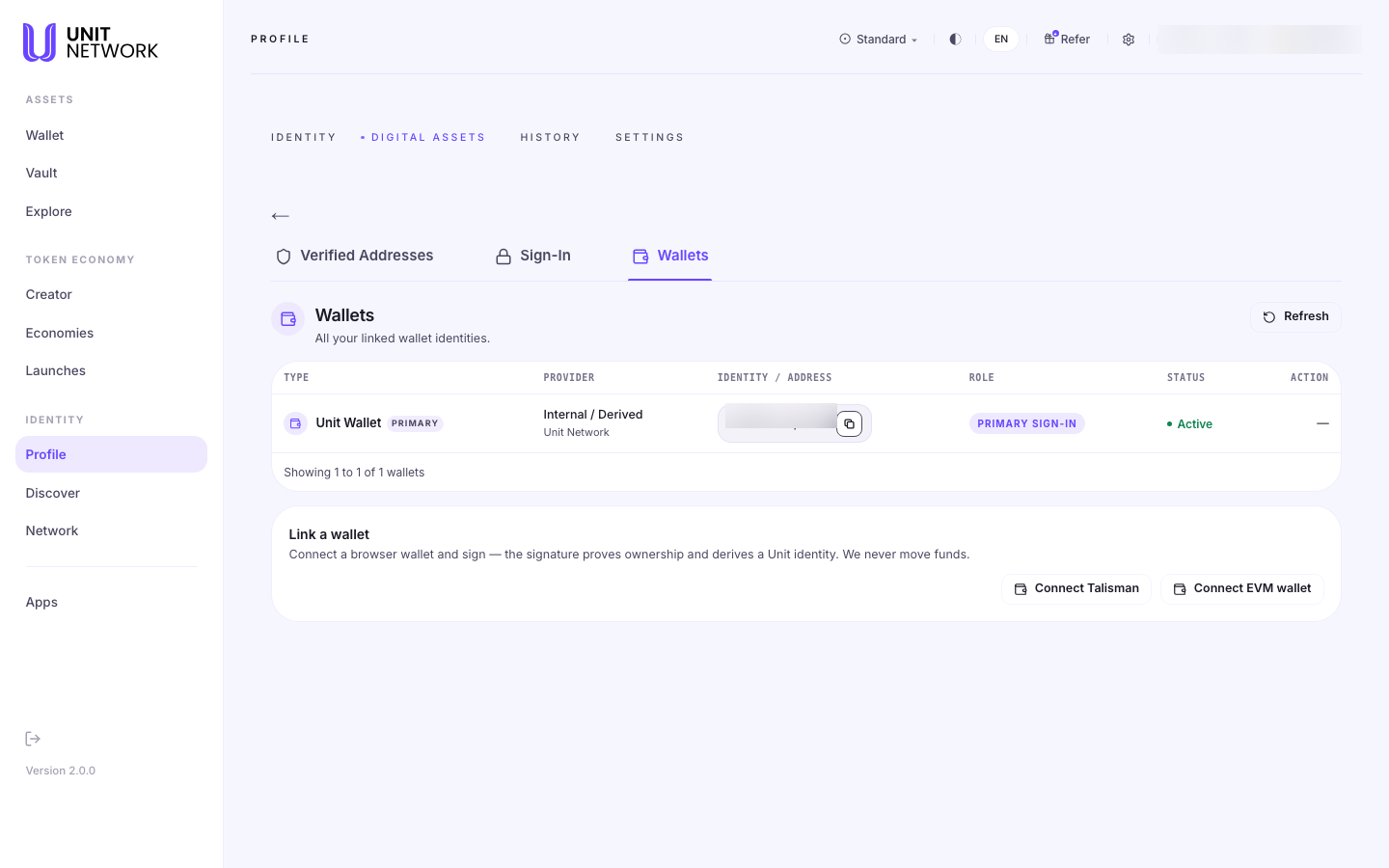
Wallets lists your linked wallet identities — "all your linked wallet identities" — starting with the one your account was built on.
"All your linked wallet identities."
Your primary wallet
Every account has one, marked PRIMARY with the role PRIMARY SIGN-IN. Its provider reads "Internal / Derived" — it was derived when your account was created rather than imported from anywhere.
Linking another wallet
Connect Talisman or Connect EVM wallet. The screen explains exactly what happens: "Connect a browser wallet and sign — the signature proves ownership and derives a Unit identity."
And the reassurance that matters, stated plainly: "We never move funds." Linking is a proof of ownership, not a transfer or an approval to spend.
Before You Begin
- Talisman or an EVM wallet installed and unlocked, to link one.
- Nothing to look. Reading the list changes nothing.
How to Use This Screen
Link a browser wallet
- Open Digital Assets and select Wallets.
- Select Connect Talisman or Connect EVM wallet.
- Approve the connection in the extension.
- Sign the message. The signature proves ownership — it does not move anything.
- The wallet appears in the table with its role and status.
Check your primary identity
- Find the row marked PRIMARY.
- Read its provider — Internal / Derived means it was derived at account creation.
- Use Refresh if a newly linked wallet has not appeared.
What Happens Next
A linked wallet becomes another identity associated with your account. Nothing is transferred and no spending permission is granted.
Tips
- Linking never moves funds. The screen says so; it is a signature, not a transfer.
- Your primary wallet is the identity derived when the account was created — it is not imported.
- Use Refresh before concluding a link failed.
Related Screens
- Verified Addresses · Sign-In — the other two sections
- Create Your Account — registering with a wallet
- Wallet — your balances, a different thing entirely
Frequently Asked Questions
- Does linking a wallet give UNIT access to my funds?
- No. "We never move funds." The signature proves you own the wallet.
- What is my primary wallet?
- The Unit identity derived when your account was created, shown as PRIMARY with provider Internal / Derived.
- Which wallets can I link?
- Talisman and EVM wallets are offered here.
Troubleshooting
- My wallet will not connect
- It needs to be installed and unlocked in this browser. Try Refresh.
- I linked a wallet and it is not listed
- Select Refresh.