Restore Your Account
Overview
Despite being reached from "Forgot password?", this is not a password reset. It is "Restore with your phrase." — you enter your twelve-word recovery phrase and it signs you back in.
The screen states the limit without softening it: "If you don't have your phrase, we can't help you sign in. Recovery only works with the phrase."
There is no support route around this, because there is nothing stored on UNIT's side to fall back on. Your phrase is the recovery mechanism, not a convenience alongside one.
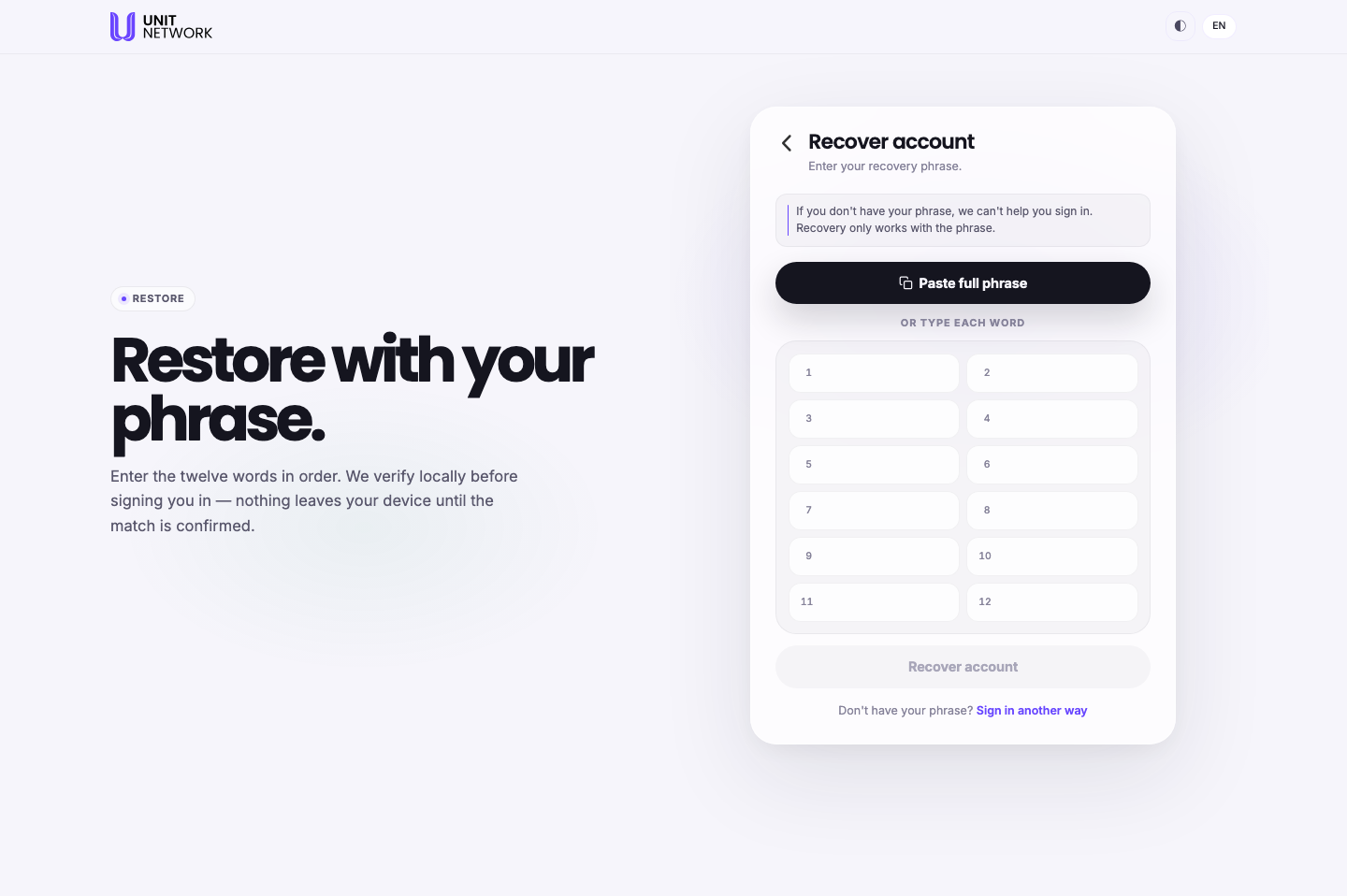
What You Can See
- "We verify locally before signing you in"
- The full line is "nothing leaves your device until the match is confirmed". Your phrase is checked on your own machine first.
- Paste full phrase
- Paste all twelve words at once rather than filling twelve boxes.
- Twelve numbered boxes
- One per word, numbered 1 to 12. Order matters — the heading says "in order".
- Recover account
- Submits the phrase.
- Don't have your phrase? Sign in another way
- Returns you to Sign In. It does not offer an alternative recovery — there isn't one.
Before You Begin
- Your twelve-word recovery phrase, complete and in the right order. Nothing else will do.
- Somewhere private. Anyone who sees the phrase can use it.
- The right screen. Confirm you are on UNIT's own restore screen before typing a single word.
How to Use This Screen
Restore by pasting
- Select Forgot password? on the sign-in screen.
- Select Paste full phrase.
- Paste all twelve words.
- Check they landed in the right order — the numbering makes this quick.
- Select Recover account.
Restore by typing
- Type each word into its numbered box, 1 through 12.
- Watch spelling. A single wrong word means no match.
- Check the order against your written copy before submitting.
- Select Recover account.
What Happens Next
A matching phrase signs you in and you land in your wallet. The verification happens on your own device before anything is sent.
A phrase that does not match does not sign you in, and there is no second route. That is what "recovery only works with the phrase" means.
Tips
- Keep your phrase somewhere you will still have it in five years. Written down and stored physically beats anything on the device you are trying to recover.
- Never type or paste your phrase anywhere else. Not into a support chat, not into an email, not into a page that merely looks like this one. Anyone holding it holds your account.
- Pasting is safer than typing — it removes spelling and ordering mistakes in one step.
- Read this page while you can still sign in normally. It is not useful to discover the rule at the moment you need it.
- Do not keep the phrase in the same place as your password and PIN.
Related Screens
- Sign In — where "Forgot password?" is, and where this returns you
- Create Your Account — where the method that sets your recovery option is chosen
- Wallet Overview — where you land afterwards
Frequently Asked Questions
- I only forgot my password. Do I really need the phrase?
- Yes. There is no stored password to reset, so recovery goes through the phrase whatever you forgot.
- Can support recover my account for me?
- No. The screen says so directly: "If you don't have your phrase, we can't help you sign in."
- Does my phrase get sent to UNIT?
- The screen says nothing leaves your device until the match is confirmed — verification is local.
- Does the order of the words matter?
- Yes. Twelve words, in order.
- What if I have eleven words, or thirteen?
- The phrase is twelve. An incomplete phrase will not restore the account.
- Should I store my phrase in a password manager?
- That is your decision, and this guide will not make it for you. What the screen establishes is that losing the phrase means losing access — so wherever you keep it needs to survive losing your devices.
Troubleshooting
- My phrase is not accepted
- Check all twelve words, their spelling, and their order. Pasting the whole phrase avoids all three mistakes at once.
- I pasted and the boxes look wrong
- Clear them and paste again with Paste full phrase rather than into an individual box.
- I cannot find my phrase
- Look everywhere you might have written it before assuming it is gone. Without it there is no route back into the account.
- Somebody asked me for my phrase
- Do not give it to them. Nobody legitimate needs it, and it is the whole account.